
What Are Segments?
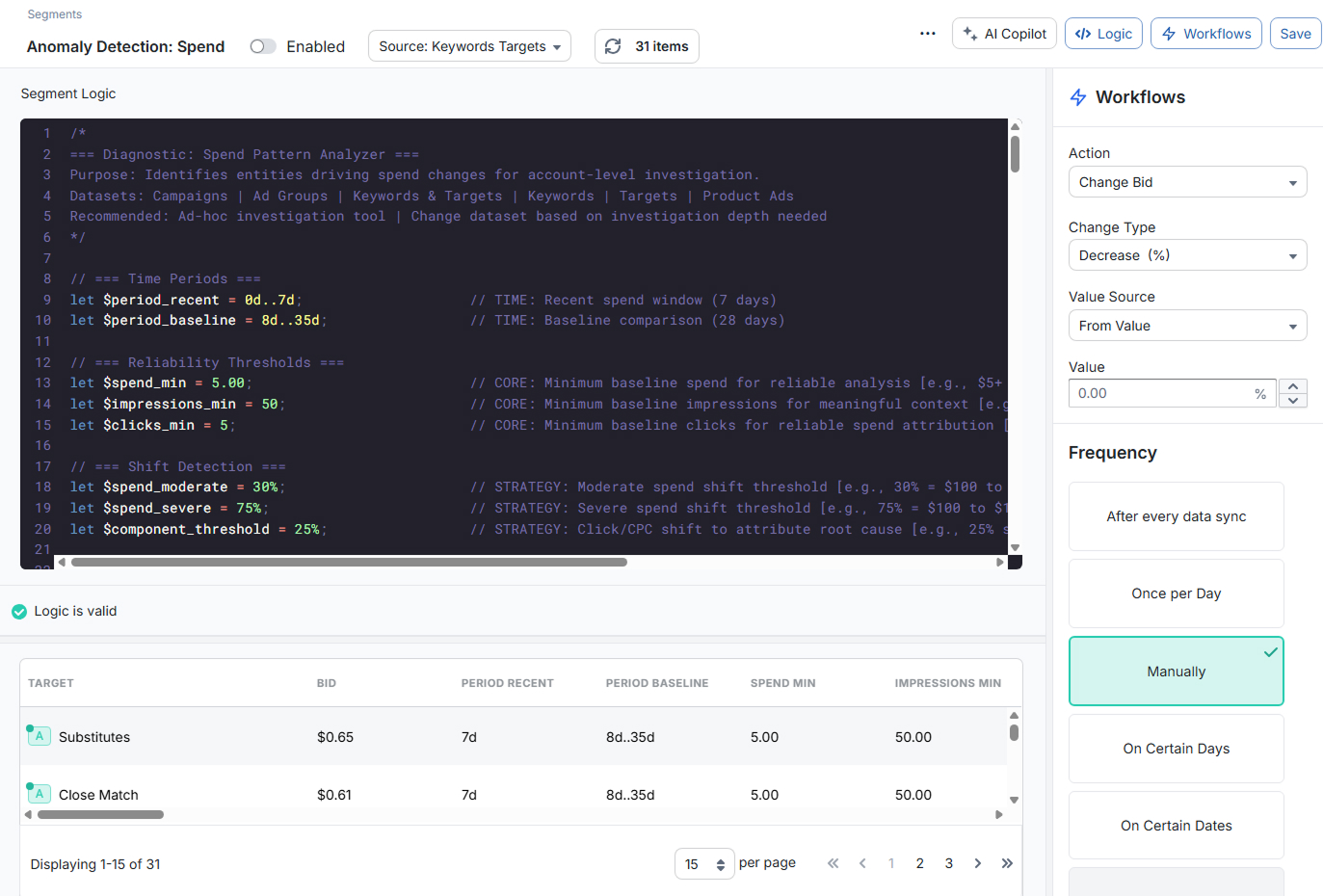
Segments are saved, filterable views of your Amazon Ads data. Each Segment is built from three main pieces:
- Source dataset: The level of data you want to work with (Campaigns, Ad Groups, Keywords & Targets, Search Terms, etc.).
- Segment Logic (V2 Logic): The expression that filters items and defines any helper variables.
- Workflows (optional): The automated actions and schedule you want to apply to the items in the Segment.
At a basic level, a Segment answers a question like:
"Show me all items that meet these conditions, using this dataset, over this date range."
Once you save a Segment, you can:
- Reopen it at any time to refresh the results
- Sort and inspect the matching items in the results table
- Attach one or more Workflows to automate actions on those items
Segments are the main way to explore data and build ongoing automations in Merch Jar.
V2 Logic: The Segments Expression Language
Segment Logic uses V2 Logic, a query-style expression language built specifically for Segments. With V2 Logic you can:
- Filter items by metrics and properties (for example,
clicks(30d) > 20 and acos(30d) > target_acos) - Create reusable variables with
let(for example,let __target_bid_new = rpc(30d) * target_acos) - Combine conditions with
and,or, and parentheses for more complex logic
V2 Logic always runs against the Source dataset you select in the Segment toolbar. The metrics and properties available in the editor change depending on that dataset.
Moving from Recipes
If you still have automations from the older Recipes feature (V1 Logic), rebuild them as Segments with Workflows. Upgrading from V1 Logic shows how to rewrite V1 Logic in V2 Logic. For ready-made starting points, browse the Library.
Getting Started
To create your first Segment:
- Navigate to Segments in the sidebar and click the Create Segment button
- Choose a Source dataset in the Segments toolbar (for example, Keywords & Targets).
- Write Segment Logic using V2 Logic to define which items should be included.
- Refresh the results to confirm the Segment is selecting the right items.
- (Optional) Add a Workflow to automate actions based on this Segment.
Once saved, you can reuse and refine the Segment as often as you like, updating the logic, adjusting Workflows, or simply using it as a powerful saved report.